Interactive Pickover Attractor in Rust & Macroquad
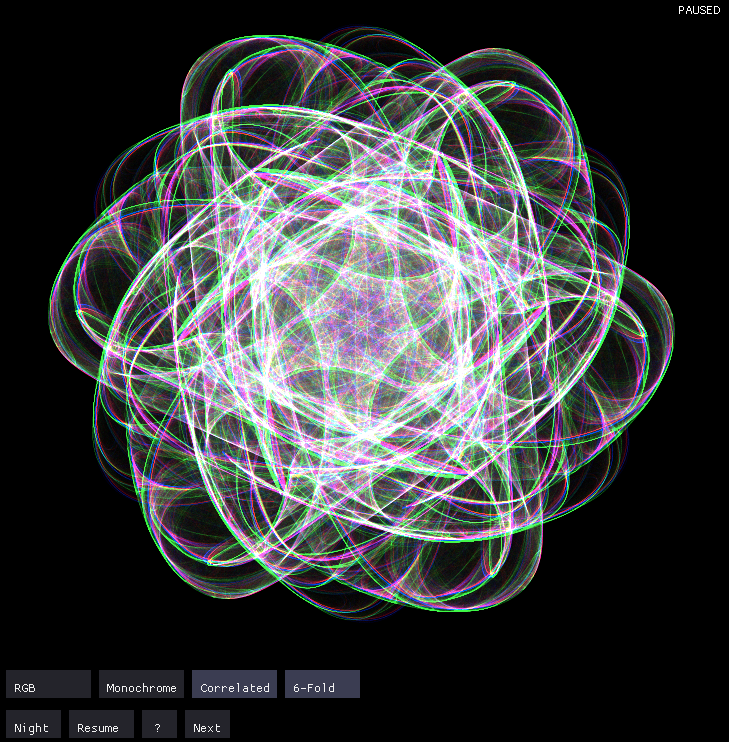
Visualizing Chaos with Rust and Macroquad
Continuing my exploration of Clifford A. Pickover's classic chaotic attractors, I built a new high-performance visualization tool using Rust and the Macroquad game framework.
Because it's built with Rust, this application runs natively on the desktop for maximum performance, but it also compiles directly to WebAssembly (WASM), allowing you to run it right in your browser!
Try the live interactive demo here!
New Features & Visual Modes
While my earlier implementations focused primarily on the raw math and rendering, this version introduces several interactive aesthetic features to create even more stunning generative art:
- Multiple Color Modes:
- RGB Mode: Each color channel (Red, Green, Blue) operates as an independent attractor.
- Monochrome Mode: Grayscale visualizations perfect for studying the mathematical structure.
- Correlated Mode: All channels share base parameters with small deviations, creating harmonious color patterns.
- Symmetry Patterns: You can now apply 4-fold, 6-fold, and 8-fold radial symmetry, turning the chaotic math into beautiful, mandala-like geometric patterns.
- Day/Night Mode: Toggle between light and dark themes (inverting colors) without visual artifacts.
- Interactive Controls: A built-in UI allows you to switch modes, regenerate parameters, and tweak settings in real-time.
The Mathematics
The core equations are the classic Pickover attractor:
x' = sin(b*y) - c*sin(b*x)
y' = sin(a*x) + d*cos(a*y)
Where a, b, c, and d determine the attractor's behavior. The application continuously iterates these equations, and the symmetry calculations use high-precision floating-point arithmetic to ensure smooth, artifact-free patterns.
Source Code
You can check out the source code, see the keyboard/mouse controls, or build the desktop version yourself on GitHub: dmaynard/pickover-attractor